
RMS Connect is a secure remote access solution that enables users to access and control devices behind routers and gateways without public IP addresses or VPN configuration.
RMS Connect enables engineers to securely reach and control remote devices from anywhere through a browser-based interface.
What is RMS Connect?
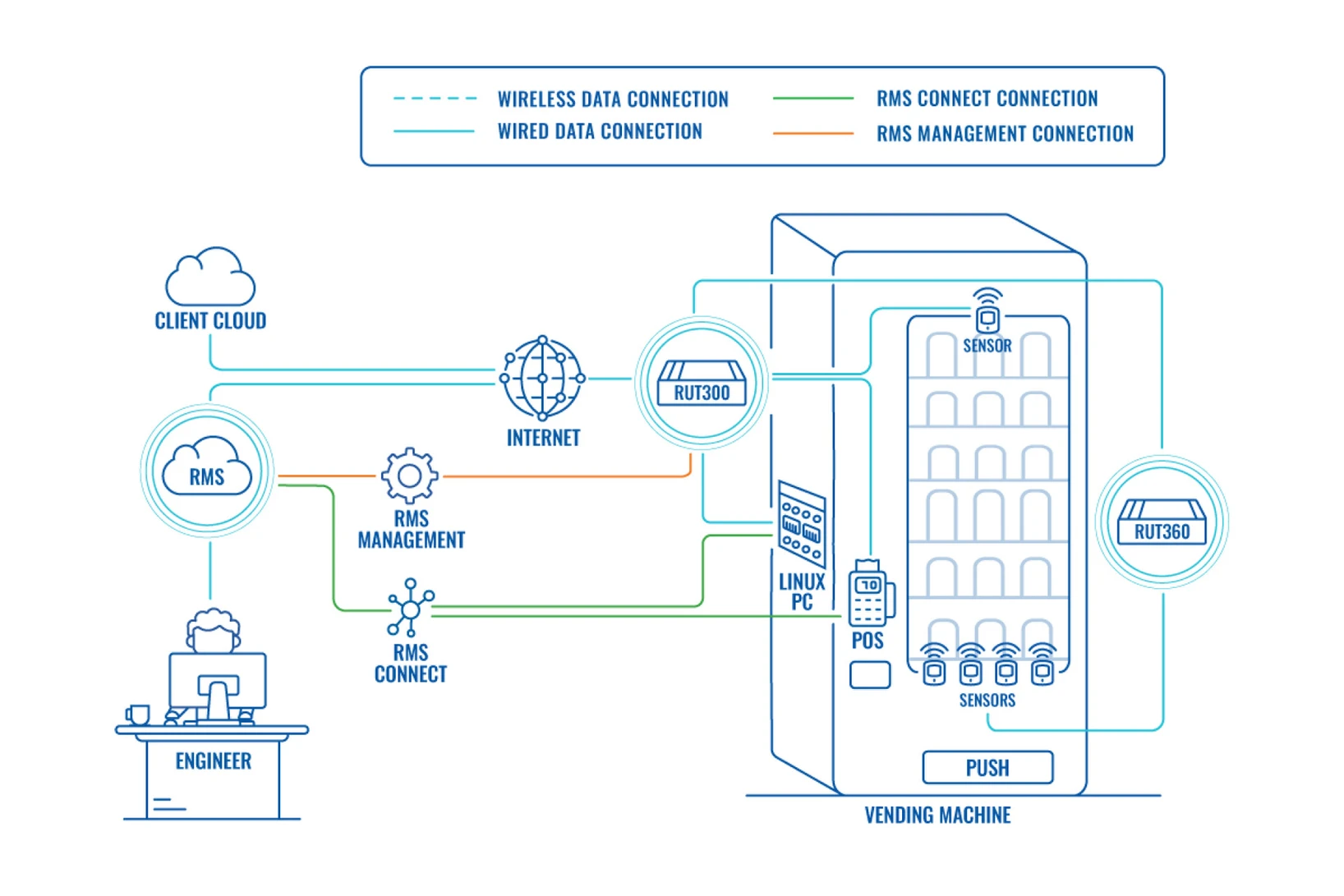
RMS Connect is a remote access solution that allows users to securely connect to devices located behind Teltonika Networks routers and gateways. It removes the need for public IP addresses, port forwarding, or traditional VPN setup.
It provides a secure tunnel between the user and the target device through the RMS platform.
What RMS Connect enables
RMS Connect enables secure access and control of distributed infrastructure without complex network configuration.
- Access remote devices from anywhere via browser
- Troubleshoot industrial equipment without site visits
- Reach devices behind NAT or firewall restrictions
- Support distributed deployments across multiple locations
- Reduce reliance on VPNs and manual network configuration
- Improve response time for remote support and maintenance
How it works
- Device connects to the RMS platform via a Teltonika router or gateway
- The device registers and becomes available in the RMS dashboard
- User selects the target device from the interface
- RMS establishes a secure tunnel to the device
- A remote session is opened using the selected protocol
Supported protocols
RMS Connect supports standard remote access protocols to securely connect to both Teltonika and third-party devices.
HTTP(S)
Secure access to web-based interfaces such as routers, switches, IP cameras, NVRs, NAS devices, and industrial equipment.
Telnet
CLI access for legacy devices requiring traditional terminal communication.
SSH
Encrypted terminal access for remote command-line control and secure device management.
Remote desktop (RDP / VNC)
Full remote desktop access to computers and systems including Windows, macOS, Linux, and industrial HMI devices.
Manage RMS on Mobile
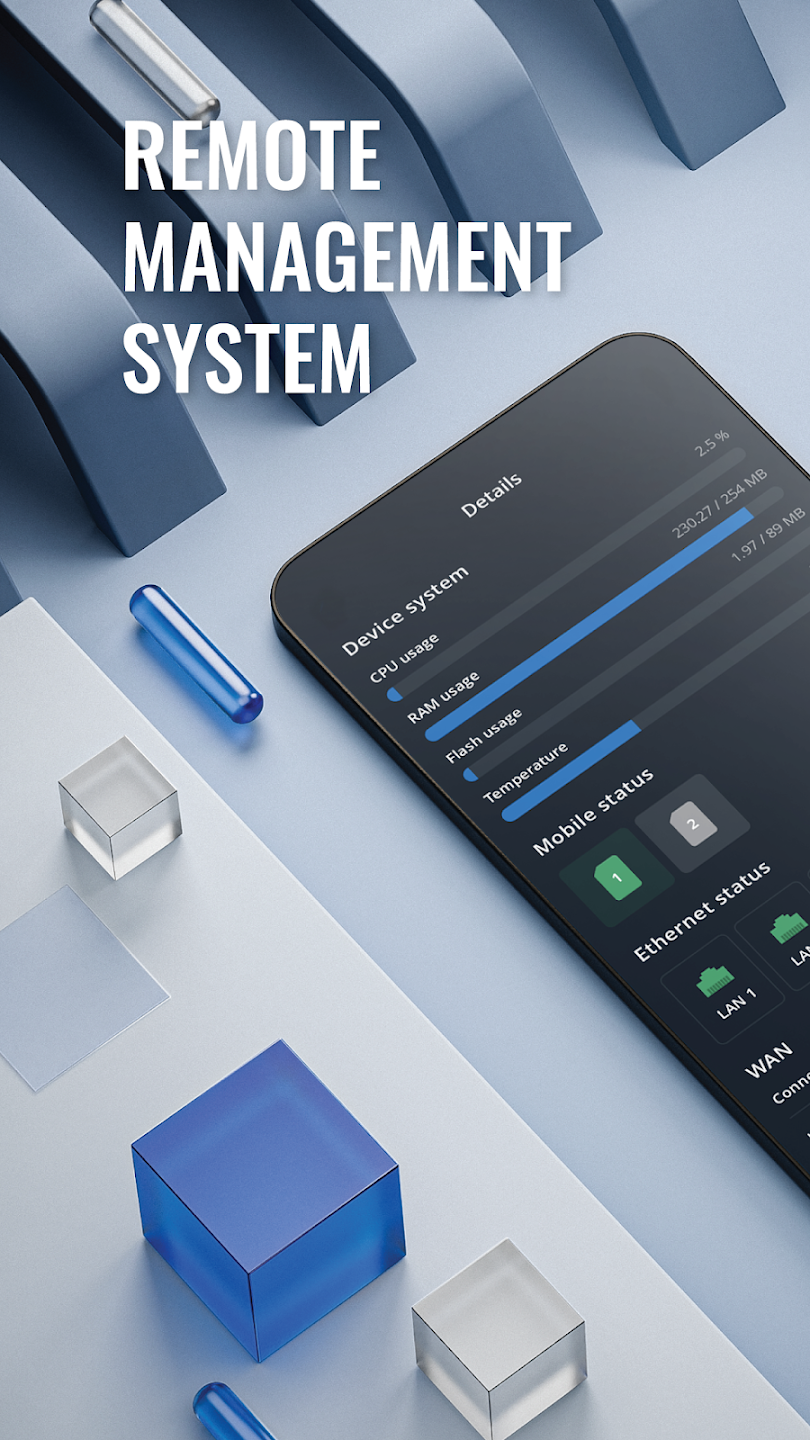
The Teltonika RMS mobile app allows you to monitor and manage your devices on the go. It provides quick access to key RMS functions, helping engineers and administrators stay connected to their deployments from anywhere.
Get on Play Store Get on App Store
Available for iOS and Android devices
Explore RMS Eco System

Management
Complete remote control over all connected Teltonika Networks compatible devices even without a public IP.
Manage Devices
Connect
Unified access system allowing to reach and control connected smart devices remotely with RMS.
Remote Access